 DayPilot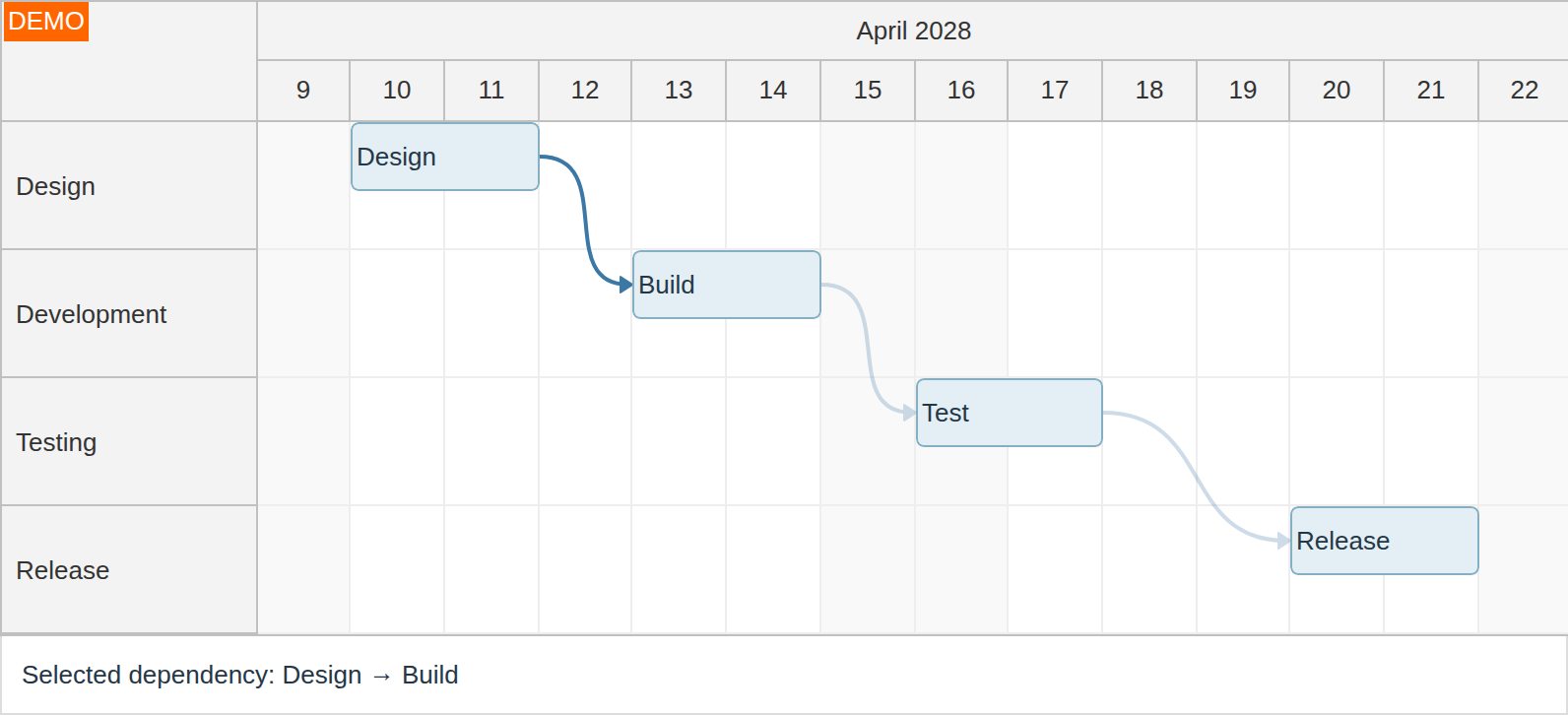
Select dependency links to inspect a relationship or apply an application action to several dependencies. Selected links stay emphasized after the pointer moves away.
Enable Selection
Set linkClickHandling to "Select". Click a link to select it. Ctrl-click or Meta-click toggles individual links while retaining the other selected links. Set allowMultiSelectLinks to false to allow only one selected link.
Selection Callbacks
onLinkSelect runs before the selection changes and can cancel it using args.preventDefault(). onLinkSelected runs after the change and exposes the committed selection in args.selection. The examples log the selected link IDs; use that list to populate a details panel or enable an application toolbar.
These excerpts configure an existing DayPilot Pro component. Keep its current timeline, resources and events.
JavaScript
const dp = new DayPilot.Scheduler("dp", {
  linkClickHandling: "Select",
  onLinkSelected: (args) => {
    console.log(args.selection.map(link => link.id()));
  }
});
dp.init();
Angular
<daypilot-scheduler [config]="config"></daypilot-scheduler>config: DayPilot.SchedulerConfig = {
linkClickHandling: "Select",
onLinkSelected: (args) => {
console.log(args.selection.map(link => link.id()));
}
};React
<DayPilotScheduler
  linkClickHandling={"Select"}
  onLinkSelected={(args) => {
    console.log(args.selection.map(link => link.id()));
  }}
/>
Vue
<DayPilotScheduler
  :linkClickHandling='"Select"'
  :onLinkSelected='(args) => {
    console.log(args.selection.map(link => link.id()));
  }'
/>
Programmatic Selection
Use these methods on the initialized Scheduler instance. The link must already be loaded; a stable link ID retains selection across redraws and data refreshes.
dp.links.selection.add("L1");
const selected = dp.links.selection.get();
const isSelected = dp.links.selection.isSelected("L1");
dp.links.selection.remove("L1");
dp.links.selection.clear();Programmatic changes do not fire the selection callbacks. Link selection is independent of event and row selection; deleting a link removes it from the selection.
Click Handling and Appearance
The default linkClickHandling: "Enabled" fires onLinkClick and onLinkClicked without selecting. "Disabled" suppresses both callbacks and click selection. Canceling onLinkClick prevents the default action and the after-click callback.
Links use 70% opacity normally. Hovered and selected links use full opacity; the other visible links dim to 25% while a visible link is emphasized. Selection remains after hover ends.