 DayPilot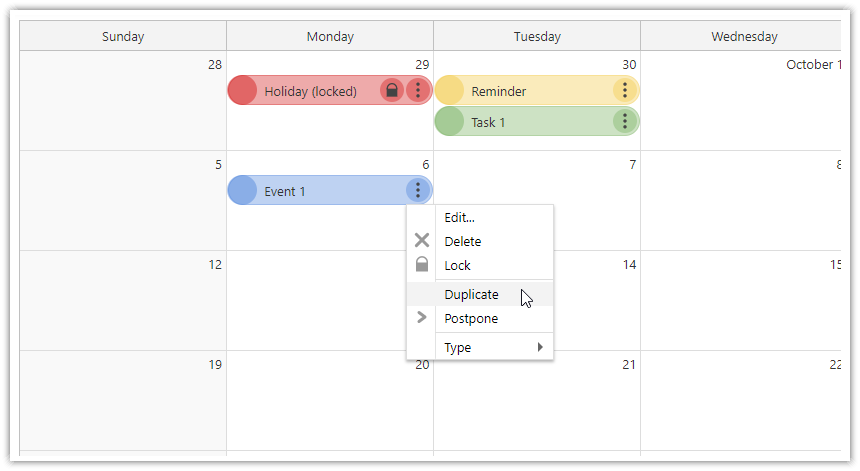
Vue Monthly Calendar Editions
DayPilot Lite (Open-Source)
The open-source DayPilot Lite for Vue package is available at @daypilot/daypilot-lite-vue.
npm install @daypilot/daypilot-lite-vueDayPilot Pro
You can install the daypilot-pro-vue package using a link from npm.daypilot.org.
Tutorials
Vue Monthly Calendar/Scheduler (Open-Source)
How to create a monthly calendar/scheduler view for planning events, tasks, and reminders in Vue.Vue Calendar: Day/Week/Month Views (Open-Source)
Create a complex calendar UI in Vue.js with multiple views, view-switching buttons and an integrated date picker. Use a shared data source to make it fast and Vue templates to define event appearance.
How to Use the Vue Monthly Calendar Component
This is a basic example that displays the Vue calendar. It uses the open-source DayPilot Lite version (@daypilot/daypilot-lite-vue package).
<template>
  <DayPilotMonth :startDate="startDate" />
</template>

<script setup>
import { DayPilot, DayPilotMonth } from '@daypilot/daypilot-lite-vue';
import { ref } from 'vue';

const startDate = ref('2025-05-01')

</script>
The :startDate prop specifies the month that will be displayed by the monthly calendar. You can use attributes of the <DayPilotMonth> tag to set the calendar properties and event handlers.
To load the calendar event data, you can use the :events attribute:
<template>
  <DayPilotMonth :startDate="startDate" :events="events" />
</template>

<script setup>
import { DayPilot, DayPilotMonth } from '@daypilot/daypilot-lite-vue';
import { ref, onMounted } from 'vue';

const startDate = ref('2025-05-01');
const events = ref([]);

onMounted(() => {
  events.value = [
    {
      id: 1,
      start: '2025-05-04T00:00:00',
      end: '2025-05-05T00:00:00',
      text: 'Calendar Event',
    },
  ];
});
</script>
Or you can use the direct API and load events using the update() method:
<template>
  <DayPilotMonth :startDate="startDate" ref="calendar" />
</template>

<script setup>
import { DayPilot, DayPilotMonth } from '@daypilot/daypilot-lite-vue';
import { ref, onMounted, computed } from 'vue';

const startDate = ref('2025-05-01');

// Reference to the DayPilotMonth component
const calendarRef = ref(null);

// Computed property to access the control object
const calendar = computed(() => calendarRef.value?.control);

onMounted(() => {
  const events = [
    {
      id: 1,
      start: '2025-05-04T00:00:00',
      end: '2025-05-05T00:00:00',
      text: 'Calendar Event',
    },
  ];

  // Update the calendar with the events
  if (calendar.value) {
    calendar.value.update({ events });
  }
});
</script>
Handling Drag and Drop Events
To handle drag and drop events (such as event moving), add the respective event handlers to the config object.
This example shows how to handle drag and drop event moving:
<template>
  <DayPilotMonth
    :startDate="startDate"
    @eventMoved="onEventMoved"
  />
</template>

<script setup>
import { DayPilot, DayPilotMonth } from '@daypilot/daypilot-lite-vue';
import { ref } from 'vue';

const startDate = ref('2025-05-01');

function onEventMoved(args) {
  const name = args.e.data.text;
  console.log(`Event ${name} moved to ${args.newStart}`);
}
</script>
Availability
Availability of this feature in DayPilot editions:
| Product | Lite | Pro |
|---|---|---|
| DayPilot for JavaScript | ||
| DayPilot for ASP.NET WebForms | ||
| DayPilot for ASP.NET MVC | ||
| DayPilot for Java |